
The Netflix app is free to install from the Microsoft Store on Windows 11, but watching Netflix requires a paid membership. Netflix’s official consumer instructions do not provide separate 32-bit and 64-bit installers. Install it through the Microsoft Store, or watch at netflix.com in a supported browser.
Quick answer
| Question | Answer |
|---|---|
| Does Netflix work on Windows 11? | Yes. Netflix supports Windows 10 and later through its Windows app or a supported browser. |
| Is the app free? | Yes, downloading and installing the app is free. |
| Is Netflix viewing free? | No. A Netflix account and paid membership plan are required for normal streaming. |
| Is there a 32-bit or 64-bit download? | No architecture-specific installer choice is provided in Netflix’s official consumer instructions. |
| Can the Windows app download movies for offline viewing? | No. Netflix’s current documentation says downloads are unavailable on Windows devices. |
For current requirements, Netflix directs Windows users to its Windows computer help page and supported browsers and system requirements.
How to install Netflix on Windows 11
The official installation route is the Microsoft Store. Do not search for a standalone setup file on third-party download websites.
- Open the Start menu.
- Select Microsoft Store or Store.
- Select Search and type Netflix.
- Choose the official Netflix app in the results. Check the publisher and app identity before proceeding.
- Select Install, Get, or the equivalent button shown by your Store version.
- Sign in with a Microsoft account if the Store requests it.
- When installation finishes, open Netflix from the Start menu.
- Select Sign In and enter your Netflix email address or phone number and password.
Netflix says Microsoft Edge must be installed for the Windows app. Edge does not necessarily have to be your preferred browser, but install and update it if the app will not open. The Store interface and button labels can vary by Windows and Microsoft Store release.
#1 Best Overall
Sale

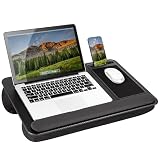
LAPGEAR Home Office Pro Lap Desk – Black Carbon, Fits 15.6” Laptops
- Spacious Design: Measuring 21.1″ wide and 14.1″ deep, our lap desk comfortably fits most laptops up to 15.6″. Extra room for accessories ensures convenience.
- Enhanced Functionality: Packed with handy features, including a 5×9″ precision tracking mouse pad and a built-in phone slot for seamless work or video calls. Plus, enjoy ergonomic support with the integrated cushioned wrist rest.
- Cool Comfort: Enjoy a stable surface with our lap desk’s dual bolster cushion, designed for comfort and airflow, keeping your lap cool during extended use.
- Durable Surface: Work with confidence on our lap desk’s solid surface, featuring a sleek black carbon color, ensuring optimal air circulation to prevent your laptop from overheating.
- On-the-Go Convenience: With an integrated handle and lightweight design (2.8 lbs), our lap desk is portable for travel or moving around the house, offering flexibility in any space.
After a successful installation, Netflix should appear in the Start menu and your installed-app list. Opening it should display the Netflix sign-in flow. You still need an active Netflix membership to watch titles.
You can also begin from the official Microsoft Store website, but the Store app on Windows is the relevant installation channel.
Watch Netflix without installing the app
Using the website is often the simplest option, especially when Netflix is missing from the Microsoft Store or your PC is managed by an organization.
- Open Microsoft Edge, Google Chrome, Firefox, or Opera.
- Visit netflix.com.
- Select Sign In.
- Enter your Netflix credentials.
- Choose a profile, select a title, and start playback.
Netflix’s requirements page currently lists these minimum browser versions for Windows computer playback:
| Browser | Minimum version listed by Netflix | Maximum listed resolution |
|---|---|---|
| Microsoft Edge | 118 or later | Up to Ultra HD/2160p |
| Google Chrome | 117 or later | Up to Ultra HD/2160p |
| Firefox | 111 or later | Up to Full HD/1080p |
| Opera | 92 or later | Up to Full HD/1080p |
These are maximums under qualifying conditions, not guaranteed output. Browser versions, supported resolutions, and Netflix requirements can change, so check Netflix’s current requirements page if a specific resolution matters.
Rank #2
Sale

Anker USB C Hub, 5-in-1 USBC to HDMI Splitter with 4K Display
- 5-in-1 Connectivity: Equipped with a 4K HDMI port, a 5 Gbps USB-C data port, two 5 Gbps USB-A ports, and a USB C 100W PD-IN port. Note: The USB C 100W PD-IN port supports only charging and does not support data transfer devices such as headphones or speakers.
- Powerful Pass-Through Charging: Supports up to 85W pass-through charging so you can power up your laptop while you use the hub. Note: Pass-through charging requires a charger (not included). Note: To achieve full power for iPad, we recommend using a 45W wall charger.
- Transfer Files in Seconds: Move files to and from your laptop at speeds of up to 5 Gbps via the USB-C and USB-A data ports. Note: The USB C 5Gbps Data port does not support video output.
- HD Display: Connect to the HDMI port to stream or mirror content to an external monitor in resolutions of up to 4K@30Hz. Note: The USB-C ports do not support video output.
- What You Get: Anker 332 USB-C Hub (5-in-1), welcome guide, our worry-free 18-month warranty, and friendly customer service.
Do you need a 32-bit or 64-bit Netflix version?
No. Netflix’s official consumer installation path does not ask Windows 11 users to choose between a 32-bit and 64-bit Netflix installer. The Microsoft Store handles app delivery and compatibility for the supported device.
Windows 11 is generally installed on 64-bit-compatible hardware, but that does not mean you should download a supposed “Netflix 64-bit setup.exe.” The relevant checks are whether Windows 11 is supported, whether the Microsoft Store is available, whether Edge is installed for the app, whether your browser is current, and whether your graphics and DRM hardware support the desired video quality.
A website advertising a “Netflix 32-bit installer,” “Netflix 64-bit crack,” or “latest Netflix EXE” is not following Netflix’s official installation route. It may contain malware, credential-stealing software, adware, or a modified package that cannot safely sign in.
What “free” means
The Windows app costs nothing to download. Netflix streaming does not generally provide free unlimited access: you need a Netflix account and a membership plan. Netflix’s computer signup flow requires you to visit netflix.com/signup, choose a plan, create an account, and enter a payment method.
Plans and prices vary by country and may change. Do not rely on an old article or a fixed price quoted elsewhere; use the live Netflix signup page for the plans and price available to you. Your plan can affect resolution, simultaneous streams, and some device features. Ad-supported plans may also have title restrictions because of licensing.
Rank #3
Sale

Yilador Webcam Cover 3 Pack, 0.03 inch Ultra Thin Laptop Camera Cover Slide
- Note: Not suitable for MacBooks released after 2023 or devices with a protruding front camera; Not applicable to full-screen or notch-style tempered glass screen protectors; Do not use on the rear camera of the phone.
- 💻 Why Do You Need a Webcam Cover Slide? — Safeguard your privacy by covering your webcam with our reliable webcam cover when not in use. Don’t let anyone secretly watch you. Stay protected!
- ✅ Thin & Stylish — Enhance your laptop’s functionality and aesthetics with our 0.027″ ultra-thin webcam covers. Seamlessly close your laptop while adding a touch of sophistication.
- ✅ Fits Most Devices — Compatible with laptops, phones, tablets, desktops! Keep your privacy intact on Ap/ple, Mac/Book, iPh/one, iP/ad, H/P, L/novo, De/ll, Ac/er, As/us, Sa/msung devices.
- ✅ 365 Days Protection — Our upgraded 3.0 adhesive ensures a strong hold that won’t damage your equipment. Experience reliable, long-term privacy protection day in and day out.
Can Netflix download movies on a Windows 11 laptop?
No. The current Netflix Windows app does not support downloading shows or movies for offline viewing. This is a significant change from older Windows app instructions. Netflix’s current documentation says downloads are unavailable on Windows devices.
Installing an old app package is not a reliable workaround. Older packages may be unsupported, unsafe, or unable to sign in. For offline viewing, Netflix identifies supported alternatives such as Android phones and tablets, iPhone and iPad, Amazon Fire tablets, and compatible Chromebooks, subject to plan, title, operating-system, and device restrictions. See Netflix’s download availability guidance and download troubleshooting page.
Windows 11 requirements and video quality
Ordinary streaming
For standard playback, you need Windows 11, a supported current browser or the Netflix Windows app, an internet connection, and a Netflix account with a membership plan.
1080p, 4K, and HDR
Windows 11 alone does not guarantee Full HD, 4K, or HDR. Playback quality depends on your plan, the title, browser or app, internet connection, graphics hardware, display, drivers, and protected-content support.
For 4K streaming, Netflix lists conditions including:
Rank #4

AboveTEK Portable Laptop Lap Desk w/Retractable Left/Right Mouse Pad Tray, Non-Slip Heat Shield Tablet Notebook Computer Stand Table w/Sturdy Stable Work Surface for Bed Sofa Couch or Travel
- Anti-Slip Surface – Transform your laptop into a mobile workstation with the AboveTEK portable laptop lap desk. The anti-slip surface provides a strong grip for laptops up to 15.6 inches(Diagonal), while the double rubber strip on the bottom ensures a stable display or typing experience on your lap, couch, or bed.
- Retractable Mouse Pad – Retractable laptop mouse pad extends on both directions for the left/right handed with elevation along the edges for stopping mouse from falling off. The size of laptop tray is 14″ X 9.7″ and the size of mouse pad is 7.4″ X 6.1″.
- Effective Heat Shield – The effective heat shield made of sturdy and thick material protects your laptop from overheating. Prioritizes your comfort and safety, an ideal lap pad or board for working anywhere.
- EASY to Carry and Store – With an ergonomic and simplistic design, the lap desk is portable to store in a backpack. Only 15″ in size, 2.2 lb of weight and with slim 0.6 inch thickness, it is ready to be easily carried around.
- Widely Applicable – The smooth platform accommodates laptops and tablets up to 15.6 inches(Diagonal), making it a versatile accessory and one of the best gifts for mom, dad, students and professionals. Perfect for use as a laptop bed tray or tablet holder anywhere at home, library, or park.
- A plan that supports Ultra HD.
- Playback quality set to Auto or High.
- A stable internet connection of at least 15 Mbps.
- Fully updated Windows 11.
- Microsoft Edge, Google Chrome, or the Netflix Windows app.
- Compatible graphics hardware and drivers.
- A compatible 4K 60 Hz built-in display or external display.
- An HDCP 2.2-compatible connection where required.
- Compatible HEVC support on some systems.
Netflix gives examples of compatible hardware such as NVIDIA GeForce GTX 1050 or newer, AMD Radeon RX 400 series or newer, Intel 7th-generation Core or newer, and AMD Ryzen processors. These are published examples, not a guarantee that every computer containing one of those components will play Netflix in 4K.
Some Windows 11 devices lack the HEVC codec needed for 4K playback. Netflix says those users may need an additional HEVC video extension from the Microsoft Store. This is not required for ordinary Netflix installation and will not add offline downloads or bypass a plan requirement.
HDR and Dolby Atmos likewise require compatible hardware, titles, plans, drivers, settings, and playback paths. Do not assume that Windows 11 automatically enables either feature.
Troubleshooting Netflix on Windows 11
Netflix is missing from Microsoft Store
- Confirm Windows 11 is updated.
- Open Microsoft Store directly and search for Netflix.
- Check that the result is the official Netflix app, not a similarly named third-party program.
- Install available Microsoft Store updates.
- Sign out of the Store and sign back in.
- Restart Windows.
- Use Microsoft’s Store troubleshooting or reset procedure if the Store itself is malfunctioning.
- Use netflix.com in a supported browser if the app remains unavailable.
Netflix’s missing-app guidance recommends Microsoft troubleshooting or browser playback when the app cannot be found.
The Install button is unavailable
This can indicate a Store, account, region, edition, device-compatibility, or temporary service problem. Update Windows and the Store, restart the PC, and try again. If the computer is controlled by a workplace or school, an administrator may have restricted Store apps. Browser playback is the practical fallback.
Best Value
Sale

LAPGEAR Home Office Lap Desk – Pink, Fits 15.6” Laptops
- Spacious Design: Measuring 21.1″ wide and 12″ deep, our lap desk comfortably fits most laptops up to 15.6″. Extra room for accessories ensures convenience.
- Enhanced Functionality: Packed with handy features, including a 5×9″ precision tracking mouse pad and a built-in phone slot for seamless work or video calls. Plus, enjoy laptop support with the integrated device ledge.
- Cool Comfort: Enjoy a stable surface with our lap desk’s dual bolster cushion, designed for comfort and airflow, keeping your lap cool during extended use.
- Durable Surface: Work with confidence on our lap desk’s solid surface, featuring a blush pink color, ensuring optimal air circulation to prevent your laptop from overheating.
- On-the-Go Convenience: With an integrated handle and lightweight design (2.14 lbs), our lap desk is portable for travel or moving around the house, offering flexibility in any space.
The app installs but will not open
- Install or update Microsoft Edge.
- Run Windows Update.
- Install pending Microsoft Store app updates.
- Restart the computer.
- Check whether security software or corporate policy blocks Store apps.
- Remove any copied or unofficial installer and use the Store version instead.
Netflix says a new version is required
Open Microsoft Store and use its downloads or updates area to update Netflix. Menu names can differ by Store release. Netflix provides additional app update instructions.
Netflix says an update is required
Update the browser, update Windows 11, restart the PC, and reopen Netflix. Netflix attributes this message to an outdated browser, operating system, or unsupported device. Older Windows versions such as Windows 7 and 8.1 are not suitable targets for this Windows 11 guide. See Netflix’s update-required guidance.
Video quality is poor
Check your plan’s resolution, Netflix playback settings, connection speed, browser choice, display resolution, GPU drivers, HDCP/DRM compatibility, and whether a connected display is limiting protected playback. A 64-bit Windows installation does not automatically enable 4K.
Sign-in fails
Confirm that you are signing in at netflix.com or in the official Store app. Check the account email or phone number and password, then try the browser version to separate an account problem from an app problem. Never enter Netflix credentials into a third-party download page.
Safety advice: avoid fake Netflix downloads
Use only the Microsoft Store or the official Netflix website. Avoid “Netflix Premium free” installers, cracked apps, activators, keygens, modified Store packages, APKs offered for Windows, and sites promising a separate 32-bit or 64-bit EXE.
These downloads can install malware, steal Netflix credentials, add unwanted advertising, hijack the browser, or compromise other accounts. The legitimate app is free; there is no need to bypass payment with an unofficial file.
- Check the website address before signing in.
- Verify the publisher and app identity in Microsoft Store.
- Do not disable Windows security features to install Netflix.
- Keep Windows, Edge, your browser, and Microsoft Store updated.
- If the Store fails, use the browser version rather than an archived installer.
Bottom line
On Windows 11, install Netflix from the Microsoft Store or stream at netflix.com. The app is free, but Netflix viewing requires a paid membership. There is no official 32-bit/64-bit download choice, no trustworthy consumer EXE to fetch from an archive, and no current Windows offline-download feature. For the safest and most compatible setup, use the Store app with current Windows and Edge, or choose a supported browser.
Product prices and availability are accurate as of the date/time indicated and are subject to change. Any price and availability information displayed on Amazon at the time of purchase will apply.
