Yes, YouTube has a large and changing selection of full-length films, including documentaries, classics, independent productions, and international movies. But “over 3,000” is not a current official YouTube catalog figure. Treat it as a historical or editorial estimate—not a permanent promise that 3,000 free films are available in every country.
The dependable way to browse is through YouTube Movies, where titles are separated into free, ad-supported films and paid rentals or purchases.
What the “3,000 movies” claim actually means
An article published in January 2025 used the headline “Watch Over 3000 Full-Feature Movies on YouTube.” However, no official YouTube source verifies that precise number as a current worldwide count.
The total depends on several variables:
- Your country and licensing market
- The date on which the catalog is counted
- Whether rentals and purchases are included
- Whether distributor and rights-holder uploads outside the main movie catalog are included
- Whether alternate-language editions, edited versions, documentaries, and duplicates count separately
In practice, “3,000-plus” should be understood as a changing estimate covering several kinds of movie availability—not as an official, fixed free-film library.
#1 Best Overall

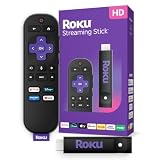
Roku Streaming Stick HD with Voice Remote
- HD streaming made simple: With America’s number 1 TV streaming platform,* exploring popular apps—plus tons of free movies, shows, and live TV—is as easy as it is fun. *Based on hours streamed—Hypothesis Group
- Compact without compromises: The sleek design of Roku Streaming Stick won’t block neighboring HDMI ports, and it even powers from your TV alone, plugging into the back and staying out of sight. No wall outlet, no extra cords, no clutter.
- No more juggling remotes: Power up your TV, adjust the volume, and control your Roku device with one remote. Use your voice to quickly search, play entertainment, and more.
- Shows on the go: Take your TV to-go when traveling—without needing to log into someone else’s device.
- TV, simplified: With setup that only takes minutes, a simple-to-navigate Home Screen, and an uncluttered remote control that does all you need—Roku makes it easier to watch the TV you love.
Where to find YouTube’s legitimate free movies
Start with YouTube Movies rather than a general search for “full movie.” YouTube documents a Free-of-charge Primetime Movies program consisting of ad-supported movies and shows.
As documented by YouTube, the program is available in the United States, Australia, Japan, Germany, and the United Kingdom. Catalog contents are updated regularly, and individual titles can differ by country.
- Open youtube.com/movies.
- Sign in if YouTube asks you to do so.
- Look for the free, ad-supported movie shelf.
- Search by title, genre, studio, or distributor.
- Open a film and check whether it is marked free, rent, or buy.
- Before watching, confirm the runtime, rating, audio language, subtitles, and available video quality.
For documentary viewers, searching by a specific subject, filmmaker, distributor, or documentary channel is usually more reliable than searching only for “full documentary.”
Free, rented, purchased, or merely uploaded?
Not every full-length film found on YouTube belongs to the same access or licensing category.
Rank #2
Sale

Roku Ultra, Ultimate Streaming Player – 4K Streaming Device for TV
- Ultra-speedy streaming: Roku Ultra is 30% faster than any other Roku player, delivering a lightning-fast interface and apps that launch in a snap.
- Cinematic streaming: This TV streaming device brings the movie theater to your living room with spectacular 4K, HDR10+, and Dolby Vision picture alongside immersive Dolby Atmos audio.
- The ultimate Roku remote: The rechargeable Roku Voice Remote Pro offers backlit buttons, hands-free voice controls, and a lost remote finder.
- No more fumbling in the dark: See what you’re pressing with backlit buttons.
- Say goodbye to batteries: Keep your remote powered for months on a single charge.
| Listing type | Cost | What to expect |
|---|---|---|
| Free-of-charge Primetime Movies | No charge | Ad-supported playback; title and country availability vary |
| Paid rental | One-time fee | Time-limited viewing, usually without ordinary ad-supported interruptions |
| Paid purchase | One-time fee | Access through the account’s movie library, subject to availability and platform terms |
| Rights-holder or distributor upload | May be free | Availability and authorization depend on the uploader and territory |
| Ordinary search result | May appear free | Could be incomplete, duplicated, misleading, unauthorized, or later removed |
YouTube’s official movie catalog is therefore different from the entire set of videos returned by a search. A video being visible—or having been online for a long time—does not by itself prove that the uploader has distribution rights.
How to check whether a full movie is trustworthy
No quick checklist can establish the legal status of every upload, but these checks reduce the chance of choosing a misleading or unauthorized copy:
- Prefer the official Movies catalog. It is the best starting point for recognized listings.
- Check the channel. Look for a recognizable studio, distributor, broadcaster, production company, or licensed film channel.
- Check the runtime. A genuine feature should normally have a coherent, complete runtime rather than a sequence of unexplained parts.
- Compare the metadata. The title, thumbnail, description, cast, rating, and language should agree with one another.
- Be cautious with recent major releases. A new theatrical film offered free without a clear rights-holder source deserves skepticism.
- Ignore comments as proof. Comments can identify errors, but they do not establish licensing.
- Watch for altered versions. A video may be edited, censored, dubbed, have a replaced soundtrack, or be mislabeled as a film.
If a movie looks suspicious, search for the same title through YouTube Movies or the official channel of the studio or distributor. Do not assume that an upload remains authorized simply because it has not yet been removed.
How rentals work
YouTube rentals are not permanent access. According to YouTube’s rental guidance, a rental generally gives you 30 days to begin watching. Once playback starts, the viewing period is usually 48 hours, although the checkout page controls the final terms for that title and location.
Rank #3
Sale

Roku Streaming Stick 4K with Voice Remote – HDR10+ & Dolby Vision
- Stunning 4K and Dolby Vision streaming made simple: With America’s number 1 TV streaming platform,* exploring popular apps—plus tons of free movies, shows, and live TV—is as easy as it is fun. *Based on hours streamed—Hypothesis Group
- Breathtaking picture quality: Stunningly sharp 4K picture brings out rich detail in your entertainment with four times the resolution of HD. Watch as colors pop off your screen and enjoy lifelike clarity with Dolby Vision and HDR10+.
- Seamless streaming for any room: With Roku Streaming Stick 4K, watch your favorite entertainment on any TV in the house, even in rooms farther from your router thanks to the long-range Wi-Fi receiver.
- Shows on the go: Take your TV to-go when traveling—without needing to log into someone else’s device.
- Compact without compromises: Our sleek design won’t block neighboring HDMI ports, so you can switch from streaming to gaming with ease. Plus, it’s designed to stay hidden behind your TV, keeping wires neatly out of sight
During the active rental period, you can generally watch the film again. Before paying, check the rental window shown at checkout, particularly if you are planning to watch with other people or save the film for later.
How movie purchases work
To buy a movie:
- Sign in to a Google Account.
- Open the film in YouTube Movies or search for its title.
- Select the price button.
- Choose a valid payment method.
- Confirm the purchase.
- Find the title later under Library, Your Movies & Shows, or the account’s purchases area.
YouTube says purchasers must be at least 18, be located in a supported country, and use a Google Account with a valid payment method. Movie access can still depend on location, licensing, account status, and the platform’s current terms. See YouTube’s purchase requirements.
Watching on a computer, phone, TV, or console
YouTube movies can be watched through supported web browsers, mobile devices, smart TVs, streaming devices, game consoles, and Chromecast-compatible setups. On a television, the exact labels depend on the app version and device; paid titles may appear under Library, Your Movies & Shows, or Purchases.
On a smart TV or streaming device:
- Open the YouTube app.
- Search for the film or open the Movies area.
- Select the title.
- Choose Watch, Rent, or Buy.
- Sign in and confirm payment if you are renting or purchasing.
YouTube provides additional device and playback guidance. A dedicated streaming device is unnecessary if your television, console, or existing media player already supports the current YouTube app.
Rank #4
Sale

Amazon Fire TV Stick 4K Plus (newest model) with AI-powered Fire TV Search, Wi-Fi 6, stream hundreds of thousands of movies and shows, free & live TV, find shows faster with Alexa+
- Advanced 4K streaming – Elevate your entertainment with the next generation of our best-selling 4K stick, with improved streaming performance optimized for 4K TVs.
- The newest Fire TV experience (2026) – Our biggest update to Fire TV has a new, modern design that gets you to your entertainment fast. Browse dedicated content categories, pin more of your favorite apps, and get personalized recommendations from Alexa+. Spend less time scrolling, and more time watching.
- Play Xbox games – Stream Call of Duty: Black Ops 7, Hogwarts Legacy, Outer Worlds 2, Ninja Gaiden 4, and hundreds of games on your Fire TV Stick 4K Plus with Xbox Game Pass via cloud gaming.
- Smarter picks with Alexa+ – Getting to what you love has never been easier. Press the voice remote button and talk naturally to find what to watch across your apps, manage your smart home, or dive into virtually any topic.
- Wi-Fi 6 support – Enjoy smooth 4K streaming, even when other devices are connected to your router.
Ads, Premium, subtitles, and picture quality
Free-of-charge Primetime Movies are ad-supported. YouTube Premium or Premium Lite may provide ad-free playback for eligible films in that program, depending on the country and plan. A Premium subscription does not automatically make paid rentals or purchases free.
Every movie and TV show is available in standard definition, while some titles also support HD or 4K UHD. Availability depends on the title, device, browser, licensing arrangement, and internet connection. YouTube recommends a consistent connection of at least 15 Mbps for UHD playback; that requirement cannot restore a title that is region-blocked or available only in SD. See YouTube’s video-quality guidance.
Subtitles, dubbed audio, and alternate languages are title-specific. Check the film’s playback controls and listing details rather than assuming that every edition includes them. Ratings and age restrictions may also apply; see YouTube’s movie-rating information.
Why a movie may not play
A working link is not guaranteed to remain playable. Common explanations include:
Best Value
Sale

Amazon Fire TV Stick 4K Select (newest model), start streaming in 4K, AI-powered search, and free & live TV, find shows faster with Alexa+
- Essential 4K streaming – Get everything you need to stream in brilliant 4K Ultra HD with High Dynamic Range 10+ (HDR10+).
- The newest Fire TV experience (2026) – Our biggest update to Fire TV has a new, modern design that gets you to your entertainment fast. Browse dedicated content categories, pin more of your favorite apps, and get personalized recommendations from Alexa+. Spend less time scrolling, and more time watching.
- Make your TV even smarter – Fire TV gives you instant access to a world of content, tailor-made recommendations, and Alexa, all backed by fast performance.
- All your favorite apps in one place – Experience endless entertainment with access to Prime Video, Netflix, YouTube, Disney+, Apple TV+, HBO Max, Hulu, Peacock, Paramount+, and thousands more. Easily discover what to watch from hundreds of thousands of movies and TV episodes (subscription fees may apply), including free, ad-supported content.
- Getting set up is easy – Plug in and connect to Wi-Fi for smooth streaming.
- The title is unavailable in your country.
- A license expired or the catalog listing changed.
- The rights holder blocked or claimed the upload.
- The video was removed after a copyright complaint.
- You are signed out or the account is not eligible to rent or buy.
- The rental period expired.
- The device or browser does not support the selected HD or UHD format.
- The film is age-restricted.
Try these recovery steps:
- Search for the title again through YouTube Movies instead of reopening the old link.
- Look for the official distributor’s or studio’s channel.
- Check for another language, edition, or resolution.
- Confirm your account, country, and age eligibility.
- Try a supported browser or television device.
- For a rental, check when playback first began.
- Before paying again, check Library or Purchases to see whether the title is already associated with your account.
Is YouTube a good alternative to a dedicated free-streaming service?
YouTube is a strong choice when you want selected films without adding another streaming subscription, already use YouTube on your television, or enjoy discovering older, independent, international, and documentary titles. It also gives you the flexibility to rent or buy a specific film that is not included in the free catalog.
It is less suitable if you want a stable catalog, uniform metadata, no advertisements, consistent country-wide availability, dependable offline viewing, or every title in HD or 4K. A dedicated service may offer more curation, while YouTube offers broader search-based discovery but a less uniform mix of catalog listings and ordinary uploads.
The catalog also changes. YouTube says free content is updated regularly, and title availability varies by location and over time. Building a watchlist around specific links or third-party playlists can therefore be unreliable; save the film title and rights-holder channel as well as the link.
Bottom line
You can watch many full-length movies on YouTube, including free ad-supported films and a substantial selection of rentals and purchases. But the “over 3,000” figure is not an officially verified current count, and it should not be read as a guarantee of 3,000 free movies worldwide.
Use YouTube Movies as your starting point, distinguish free listings from rentals and purchases, and verify that a full-length upload comes from a recognizable rights holder. That approach gives you the broadest selection while avoiding the biggest problems with misleading, unavailable, or questionable search results.
