
Most Xfinity On Demand problems come from one of five causes: an outage or connection fault, a temporary TV Box problem, an account or subscription restriction, an outdated or unsupported Xfinity Stream device, or a title that is unavailable on your plan, device, or location.
Start by identifying what fails. If live TV and several televisions are also down, check for an outage. If live TV works but On Demand does not, restart the affected box or app, then check account authorization and content restrictions. The correct fix depends on whether you use an X1 TV Box, Xumo or Flex, Xfinity Stream in a browser, or the Stream app on a smart TV, Roku, Apple TV, Fire TV, phone, or tablet.
First, identify the symptom
“Xfinity On Demand isn’t working” can describe several different faults. Note which of these best matches your situation:
| Symptom | More likely causes | First step |
|---|---|---|
| On Demand will not load | Outage, connection problem, or TV Box software fault | Check service status, then restart the box |
| The menu loads but titles are missing | Package, entitlement, parental-control, or availability issue | Check your plan and try another title |
| One title will not play | Title-specific restriction, purchase issue, or temporary content fault | Test several other titles |
| Playback buffers, freezes, or shows a black screen | Device, app, network, or service problem | Restart and update the affected device or app |
| Only one TV or device fails | Local cable, HDMI input, compatibility, or app issue | Focus troubleshooting on that device |
| Live TV and internet also fail | Outage, signal, gateway, or wiring problem | Check Xfinity service status |
Also identify the platform before following instructions. X1, Xumo Stream Box, Flex, non-X1 boxes, the Xfinity Stream website, and the Stream apps do not have identical requirements or content rights.
#1 Best Overall

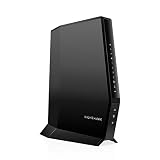
NETGEAR Nighthawk Modem Router Combo (CAX30) DOCSIS 3.1 Cable Modem and WiFi 6 Router – AX2700 2.7 Gbps – Compatible with Xfinity, Spectrum, Cox, and More – Gigabit Wireless Internet
- MAXIMIZE YOUR CABLE INTERNET AND WHOLE-HOME WIFI: A cable modem and WiFi router in one device unlocks the full potential of your home internet with faster downloads, smoother WiFi for gaming and video calls, and reliable coverage in every room.
- APPROVED FOR YOUR PROVIDER AND PLAN: Works with Xfinity internet plans up to 800Mbps, Spectrum up to 1Gbps, and Cox up to 1Gbps. Not compatible with Verizon, AT&T, CenturyLink, DirecTV, DISH, or bundled voice plans. ISP activation required after setup.
- MULTI-GIG DOCSIS 3.1 SPEEDS: Get Gigabit+ cable download speeds on today’s fastest plans, with headroom for the upgrades ahead. Real-world speeds depend on your plan and ISP network.
- WIFI 6 COVERAGE FOR THE WHOLE HOME: Stay connected in every room with dual-band AX2700 WiFi 6 covering up to 2,000 sq ft and capacity for 25+ connected devices. Real-world coverage depends on home size, layout, and building materials.
- WIRED CONNECTIONS FOR YOUR FASTEST DEVICES: Four Gigabit Ethernet ports keep gaming consoles, desktops, and streaming devices hardwired for the lowest latency and the most stable connection in your home.
1. Xfinity is experiencing an outage or connection problem
If On Demand, live TV, and internet are failing together—or several TVs are affected—an Xfinity service or signal problem is more likely than a faulty app. An outage map is useful but not conclusive: a local box, cable, Wi-Fi, or account problem may not appear as a neighborhood outage.
Check for an outage
- Open the Xfinity app or support site and sign in.
- Check the outage map and service-status information.
- Use Xfinity Assistant for guided diagnostics.
- Xfinity also lists texting Out to 266278 as an outage-check option.
If no outage is reported, check the basics:
- Make sure the TV Box and television have power.
- Firmly reseat the coaxial, HDMI, Ethernet, and power connections.
- Confirm that the television is set to the correct HDMI input.
- For a wireless box, verify its network connection.
- If other internet devices are offline, troubleshoot the Xfinity gateway or home network.
See Xfinity’s TV troubleshooting guidance for current service-status and connection checks. Do not assume raw internet speed is the problem when the real cause may be authorization, compatibility, or an Xfinity-side service fault.
2. The TV Box needs a restart or System Refresh
A slow guide, endlessly loading On Demand menu, failed playback across multiple titles, or generally abnormal box behavior often indicates a temporary software or communication problem. A restart frequently clears this kind of fault, although it is not guaranteed to solve every On Demand issue.
Restart an X1 TV Box
Use whichever method is most convenient:
- Voice Remote: Say, “Restart TV Box.”
- Help menu: Press the A button, select Restart, select Restart again, and confirm.
- Device Settings: Press the xfinity button, select the gear icon for Settings, then choose Device Settings > Power Preferences > Restart and confirm.
- Physical restart: If the box has a power button, hold it for 10 seconds. If it does not, unplug the power cord for 10 seconds and reconnect it.
Xfinity says a normal restart should preserve settings, guide information, and recorded programs. Allow the box to finish restarting; do not unplug it during an active restart or system refresh. A single-box restart takes about five minutes according to Xfinity’s restart instructions.
Rank #2
Sale

NETGEAR Nighthawk Cable Modem and WiFi 5 Router Combo (C7000) – Compatible with Major Cable Providers incl. Xfinity & Cox – Cable Plans up to 800Mbps – AC1900 (Up to 1.9Gbps) – DOCSIS 3.0
- TWO-IN-ONE DOCSIS 3.0 MODEM ROUTER: Combines your modem and router into one device. Simply connect to your coaxial cable outlet to set up. Not compatible with fiber, DSL, satellite, or bundled voice services from cable providers. For US cable internet only.
- AC1900 WIFI 5 SPEED FOR STREAMING, GAMING, AND YOUR WHOLE HOME: Up to 1.9Gbps combined across 2.4GHz and 5GHz bands for fast, reliable speeds even during peak hours. Beamforming+ boosts range and reduces dead spots to keep every device connected throughout your home. Real-world speeds depend on your connected devices and internet plan.
- CERTIFIED WITH XFINITY AND COX FOR FAST, RELIABLE CABLE INTERNET: Works with Xfinity internet plans up to 800Mbps and Cox plans up to 500Mbps. Not compatible with Verizon, AT&T, CenturyLink, DirecTV, DISH, or bundled voice plans. ISP activation required after setup.
- WIRED AND WIRELESS CONNECTIONS FOR EVERY DEVICE IN YOUR HOME: Four Gigabit Ethernet LAN ports deliver fast, reliable wired connections for computers, gaming consoles, streaming players, and storage drives. One USB 2.0 port for additional device connectivity.
- SET UP AND MANAGE YOUR NETWORK WITH THE FREE NIGHTHAWK APP: Download the Nighthawk app on iOS or Android to get connected quickly, run speed tests, pause the internet on any device, manage connected devices, and control your network from anywhere. Browser-based setup also available.
Use System Refresh when On Demand remains broken
For X1 customers, System Refresh is more appropriate than repeatedly unplugging the box when On Demand, channels, the guide, or DVR functions continue to malfunction:
- Sign in to Xfinity.
- Select Contact & Support.
- Select Fix an Issue.
- Find the affected TV device.
- Select Restart TV Box.
- Choose System Refresh.
Xfinity says System Refresh can take up to 20 minutes and restarts all X1 TV boxes in the home. It should preserve settings and recordings, but it interrupts service on every X1 box, so do not start it while another household TV is in use or an important recording is active unless necessary. Xumo, Flex, and non-X1 equipment may use different procedures.
3. Your account does not authorize the content
When live TV works but particular networks, programs, or purchases do not, check your account before replacing equipment. On Demand access depends on the subscription package, billing status, parental controls, purchase controls, account sign-in, and the rights attached to the title.
Check for:
- A past-due balance or interrupted payment.
- A recently changed or downgraded TV package.
- A premium network that is no longer included.
- A program requiring a separate subscription or purchase.
- Parental or purchase controls blocking the title.
- A recently ordered service or replacement box that has not completed activation.
- A secondary household user signed in with the wrong Xfinity ID.
- A rental or purchase associated with another Xfinity account.
Xfinity says late payments can interrupt service. The My Account app on X1 and Flex can show account details, billing information, balances, and appointment information.
Rank #3
Sale

NETGEAR Nighthawk DOCSIS 3.1 Mid/High-Split Modem (CM3000-1AZNAS) – Approved for Today’s Fastest Speeds – Works with All Providers, Incl. Xfinity, Spectrum, Cox – Plans up to 2.5Gbps
- MAXIMIZE YOUR CABLE HOME INTERNET: This mid/high-split DOCSIS 3.1 cable modem unlocks faster download and upload speeds for gaming, video conferencing, and large file uploads. Pair with any WiFi router or mesh system for wireless connectivity throughout your home.
- APPROVED FOR YOUR PROVIDER AND PLAN: Works with Xfinity, Spectrum, Cox, and most US cable providers on plans up to 2 Gbps. Confirm mid-split availability with your provider. Not compatible with fiber or bundled voice.
- MULTI-GIG SPEEDS FOR YOUR CONNECTED HOME: Brings the bandwidth your router needs to keep phones, laptops, smart TVs, cameras, and smart home devices running smoothly. Real-world speeds depend on your cable plan, ISP network, and paired router.
- FUTURE-PROOF YOUR HOME NETWORK: The 2.5 Gig Ethernet port connects your router for the fastest speeds in your area. Combine the two 1 Gig ports on a compatible router for speeds up to 2 Gbps. Ready for today’s multi-gig plans and tomorrow’s speed upgrades.
- SET UP AND MANAGE YOUR NETWORK WITH THE FREE NIGHTHAWK APP: Download the Nighthawk app on iOS or Android to get connected and manage your network from anywhere. Internet must be active before setup. Browser setup and setup video available on this page
A simple pattern can help:
- One network’s programs are missing: suspect package eligibility or network authorization.
- All On Demand titles are missing: suspect an outage, box communication problem, account issue, or platform fault.
- A purchase is missing: confirm the same Xfinity ID and a supported playback device.
- A title is blocked only for one profile: inspect parental and purchase restrictions.
For Xfinity Stream, a program must be included in your subscription package. Xfinity’s service and app overview explains that network and content availability varies by subscription and device.
4. The Xfinity Stream app or device is outdated or unsupported
If On Demand works on an X1 box but fails on a phone, smart TV, Roku, Apple TV, Fire TV, or browser, the problem may be platform compatibility rather than your television service.
Xfinity’s current requirements page lists these minimum examples:
| Platform | Listed minimum |
|---|---|
| Android | Android 7.0 or later; Stream app 7.4.1 or later for all content |
| iPhone and iPad | iOS 17.0 or later; Stream app 7.8.0 or later |
| Fire TV and Fire tablets | Fire OS 6 or later; Stream app 7.4.1 or later for all content |
| Apple TV | tvOS 18 or later on supported Apple TV HD and Apple TV 4K models |
| Roku | Roku OS 11.0 or later on eligible devices |
Supported television platforms also include eligible Samsung and LG TVs, Xumo TV, Xumo Stream Box, Roku, Apple TV, and Fire TV. Xfinity says the app cannot be installed on Android TV, Chromebooks, Windows phones or tablets, Apple Watch, and certain unsupported Xfinity boxes. Requirements can change, so compare your exact device model and operating system with Xfinity’s current requirements.
Rank #4

Hitron CODA56 Cable Internet Modem ONLY – DOCSIS 3.1 | 2.5 Gbps | NO WiFi – Requires Router | Xfinity/Spectrum/Cox Compatible | NOT for Fiber/DSL
- ⚠️ CABLE INTERNET ONLY – NOT COMPATIBLE WITH: Fiber (Verizon FiOS, AT&T), DSL, Satellite, or Fixed Wireless. ONLY works with cable providers like Xfinity, Spectrum, Cox. Verify your internet type BEFORE purchase.
- 🚫 NO WiFi INCLUDED – ROUTER REQUIRED: This is a modem ONLY. You MUST buy a separate WiFi router to get wireless internet. Without a router, only ONE device can connect via Ethernet cable. This does NOT replace your current WiFi router.
- 🔌 CABLE INTERNET REQUIRED: Works EXCLUSIVELY with cable internet service (DOCSIS) from providers like Xfinity, Spectrum, or Cox. Will NOT work with fiber (Verizon FiOS, AT&T), DSL, satellite, or fixed wireless internet. Contact your ISP to confirm compatibility BEFORE purchasing.
- 🚀 MULTI-GIG PERFORMANCE: Supports internet plans up to 2.5 Gbps with 2.5 Gbps Ethernet port. Designed for plans 1 Gbps and faster from certified providers: Xfinity (up to 2.33 Gbps), Spectrum (1 Gbps), Cox (2 Gbps). Verify your plan speed and provider compatibility.
- 💡 SETUP REQUIREMENTS: You need: (1) Cable internet service, (2) Separate WiFi router with 2.5 Gbps port for full speeds, (3) ISP activation. This modem cannot create WiFi networks or connect multiple devices without additional equipment.
Repair the Stream app
- Close the app completely.
- Restart the phone, TV, or streaming device.
- Update its operating system.
- Update Xfinity Stream through the relevant app store.
- Sign out and sign back in.
- Test another title.
- If the platform offers the option, clear stored app data or reinstall the app.
Cache and storage menus differ among Roku, Fire TV, Apple TV, Samsung, LG, Android, and iOS. Do not assume one platform’s menu path applies to another. If the app is unavailable in the TV’s app store, the TV or operating system may not be supported.
5. The title is restricted, unavailable, or unsupported on that platform
A single-title failure is different from a service-wide failure. The program may be excluded from your plan, restricted by parental controls, unavailable outside your home, temporarily unavailable, or unsupported on the device you are using.
Test several unrelated titles. If they play normally, check:
- Whether the movie or episode is included in your subscription.
- Whether it is a rental, purchase, premium program, or pay-per-view event.
- Whether parental or purchase controls are blocking it.
- Whether it works on your in-home Xfinity network.
- Whether the same Xfinity account owns the purchase or rental.
- Whether your device supports that type of content.
Xfinity says movies and shows can be purchased on an X1 TV Box, the Xfinity Stream website, and the Xfinity Stream apps for Android and Roku. Apple devices can play eligible purchased or rented content, but purchases and rentals cannot be made directly inside the Apple app. Use the Xfinity purchase guidance for current transaction and playback limitations.
Best Value

ARRIS Surfboard G34 DOCSIS 3.1 Cable Modem & Wi-Fi 6 Router | AX3000
- MultiGig speed for today & tomorrow: DOCSIS 3.1 performance supports cable internet plans up to 2.5 Gbps, delivering ultrafast streaming, gaming, and downloads.
- Save on rental fees: Own your modem and avoid monthly equipment charges – check with your cable provider for plan compatibility.
- Compact, modern design: Space saving footprint with simple LED indicators for power, upstream/downstream, and online status.
- Easy setup: Connect cable, power on, and activate with your cable provider. Then join the default Wi-Fi or personalize your own Wi-Fi network name and password.
- Wi-Fi 6 Coverage: Includes dual-band W-Fi 6 (AX3000) delivering up to 3 Gbps wireless performance for your whole home.
Some content is also location-dependent. Xfinity says certain live TV and On Demand programming is available only while connected to the in-home Xfinity network, while other eligible content can be streamed away from home. Cellular playback may use mobile data. The current Stream requirements explain that availability varies by title, subscription, device, and network location.
A useful test is to connect to the home Xfinity Wi-Fi network. If the title works there but not on another Wi-Fi network or cellular data, an out-of-home availability rule is more likely than a broken box.
A quick decision tree
- Does live TV also fail? Check for an outage, power and cables, the TV input, and gateway or signal problems.
- Is every On Demand title affected? Restart the box or app, then check account status and service alerts.
- Does only one device fail? Check that device’s compatibility, updates, sign-in, HDMI connection, and network.
- Is the program premium, purchased, rented, or pay-per-view? Verify eligibility and platform restrictions.
- Does it work on the in-home Xfinity network? If yes, investigate out-of-home restrictions. If no, contact Xfinity after completing the restart and account checks.
What not to do
- Do not factory-reset equipment as a first step. It can create activation and configuration problems and will not fix a missing subscription or unavailable title.
- Do not repeatedly unplug the box. Use the documented restart process and let refresh operations finish.
- Do not replace hardware immediately. A replacement will not solve an outage, billing issue, entitlement restriction, parental control, or unsupported purchase.
- Do not assume the router is always responsible. Test live TV, multiple titles, another device, and the home network before changing networking equipment.
When to contact Xfinity
Contact Xfinity Support when:
- An outage has cleared but service remains unavailable.
- Several TVs still fail after a restart and, where appropriate, System Refresh.
- Billing and package entitlement are correct but content remains unavailable.
- A replacement or newly activated box is not recognized.
- You suspect poor signal quality, damaged wiring, or a failing box.
- An unexplained error code appears.
- A purchased or rented title cannot be restored after verifying the account and supported device.
Keep the exact error message or code, the affected device model, whether live TV works, whether other titles play, and whether the problem changes on the in-home network. That information gives Xfinity Assistant or an agent a much better starting point. Xfinity says Xfinity Assistant can guide troubleshooting, schedule an appointment where appropriate, or connect you with an agent.
Product prices and availability are accurate as of the date/time indicated and are subject to change. Any price and availability information displayed on Amazon at the time of purchase will apply.
